
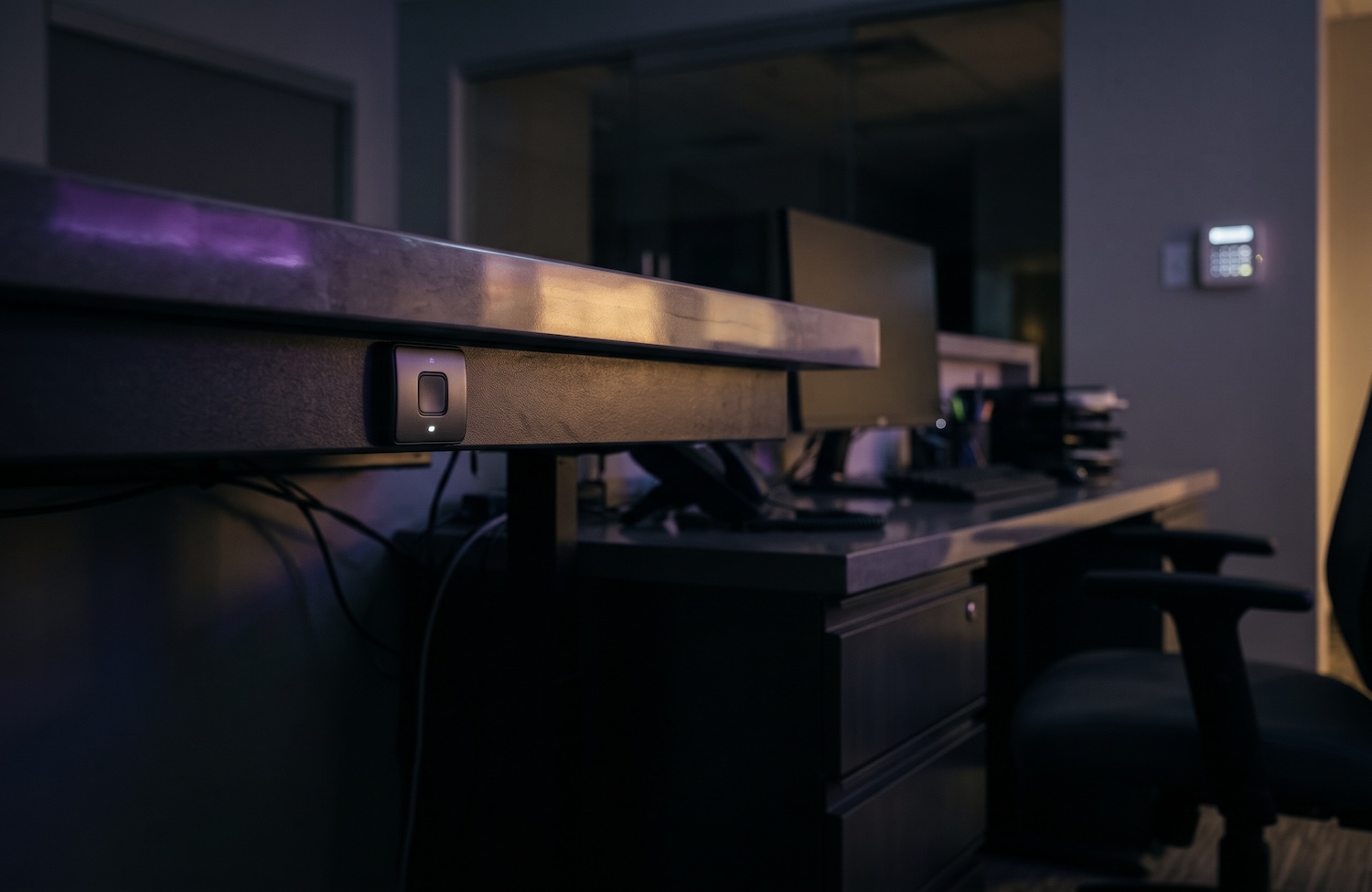
Panic buttons and duress alarms let front-line employees call for help silently, without saying a word or tipping off the person causing the threat. For reception desks, medical offices, banks, and retail counters, the right setup combines fixed buttons, wearable devices, and an alert path that reaches a monitoring center, on-site managers, and police within seconds. HS Tech Group, headquartered in Pikesville, Maryland, designs and installs duress alarm systems for businesses across Baltimore, the greater Baltimore market, and Southeastern Pennsylvania.
For years, a panic button meant one red switch screwed under the front counter. It was wired to the alarm panel, tested once at installation, and forgotten. When someone finally pressed it, the monitoring center had no idea who pressed it, where they were standing, or what was happening. That model leaves too much to chance. Today’s duress systems tell responders who needs help, where they are, and what the cameras see, and they reach the people who can act right away.
1. Fixed Panic Buttons at the Points of Highest Exposure
A fixed panic button is a hardwired or wireless button mounted where staff face the public. Fixed buttons are dependable because they do not need charging or a phone signal. Placement matters most. A button should be reachable with a natural hand movement that does not draw attention. Common locations include:
- Reception and check-in desks
- Teller lines and cash offices
- Exam rooms and consult rooms
- Point of sale and returns counters
2. Wearable Duress Devices for Staff Who Move
Not every employee stays behind a desk. Nurses, property managers, retail floor staff, and after-hours workers need a wearable duress device, a small pendant, badge clip, or wristband that sends an alert from wherever they are. Many systems also include a panic feature inside the security app on an employee’s phone. Location-aware wearables report which room or zone the alert came from, which shortens the time it takes help to arrive.
3. Where the Alert Goes: Monitoring, Managers, and Police
A duress alarm is only as good as its alert path. A well-designed system sends one press to several places at once:
- A professional monitoring center that verifies the event and dispatches police as a priority duress call
- Managers and security leads, by app notification or text, with the location of the alert
- Nearby cameras, which begin recording and can be viewed live by the monitoring operator
- Access control, which can lock interior doors to contain a threat
Most duress alarms are silent alarms by design. A loud siren can escalate a tense situation, so the alert happens quietly while help is on the way.
4. Designing for Your Industry and Your Risk
Every environment carries different risks. Medical offices deal with agitated patients and family members, and OSHA’s healthcare workplace violence guidelines recommend panic buttons and personal alarm devices where risk is apparent. Banks need holdup alarms that tie into their broader security program. Retailers face robberies and heated confrontations at the register. A professional office with a single receptionist faces the risk of someone walking in unannounced.
This is where HS Tech Group brings value. For more than 30 years, the team has designed integrated alarm, video, and access control systems for healthcare practices, multifamily communities, and commercial properties. A duress system performs best when it is part of that larger system, when staff are trained on it, and when every button is tested on a set schedule.
Frequently Asked Questions
What is the difference between a panic button and a duress alarm?
A panic button is the device a person presses. A duress alarm is the signal it sends: a silent alert telling the monitoring center that an employee is under threat and police should be dispatched. Many people use the terms interchangeably.
Should a panic alarm be silent or audible?
For most front-line settings, silent is the right move. A silent alarm summons help without alerting the person causing the threat, which reduces the risk of escalation. Audible alarms are better suited to scaring off an intruder in an empty building.
Who gets notified when a duress alarm is activated?
A properly configured system notifies a professional monitoring center, which dispatches police, and can also send instant notifications to managers or security staff with the location of the alert. Nearby cameras can begin recording at the same time.
Do medical offices need panic buttons?
OSHA does not require panic buttons in every medical office, but its healthcare workplace violence guidelines recommend alarm systems, panic buttons, and personal alarm devices wherever risk is apparent. Practices with busy front desks, behavioral health services, or late hours are strong candidates.
How often should panic buttons be tested?
Panic buttons should be tested on a regular schedule, such as quarterly, after placing the account on test with the monitoring center. Testing confirms the device works, the signal reaches the right people, and staff remember where the buttons are.
If one of your employees faced a threat tomorrow, would help know exactly who needs it and where to go?
Schedule a duress alarm site walk with HS Tech Group and the team will walk your facility, identify the points of highest exposure, and design an alert path that reaches monitoring, managers, and police in seconds.